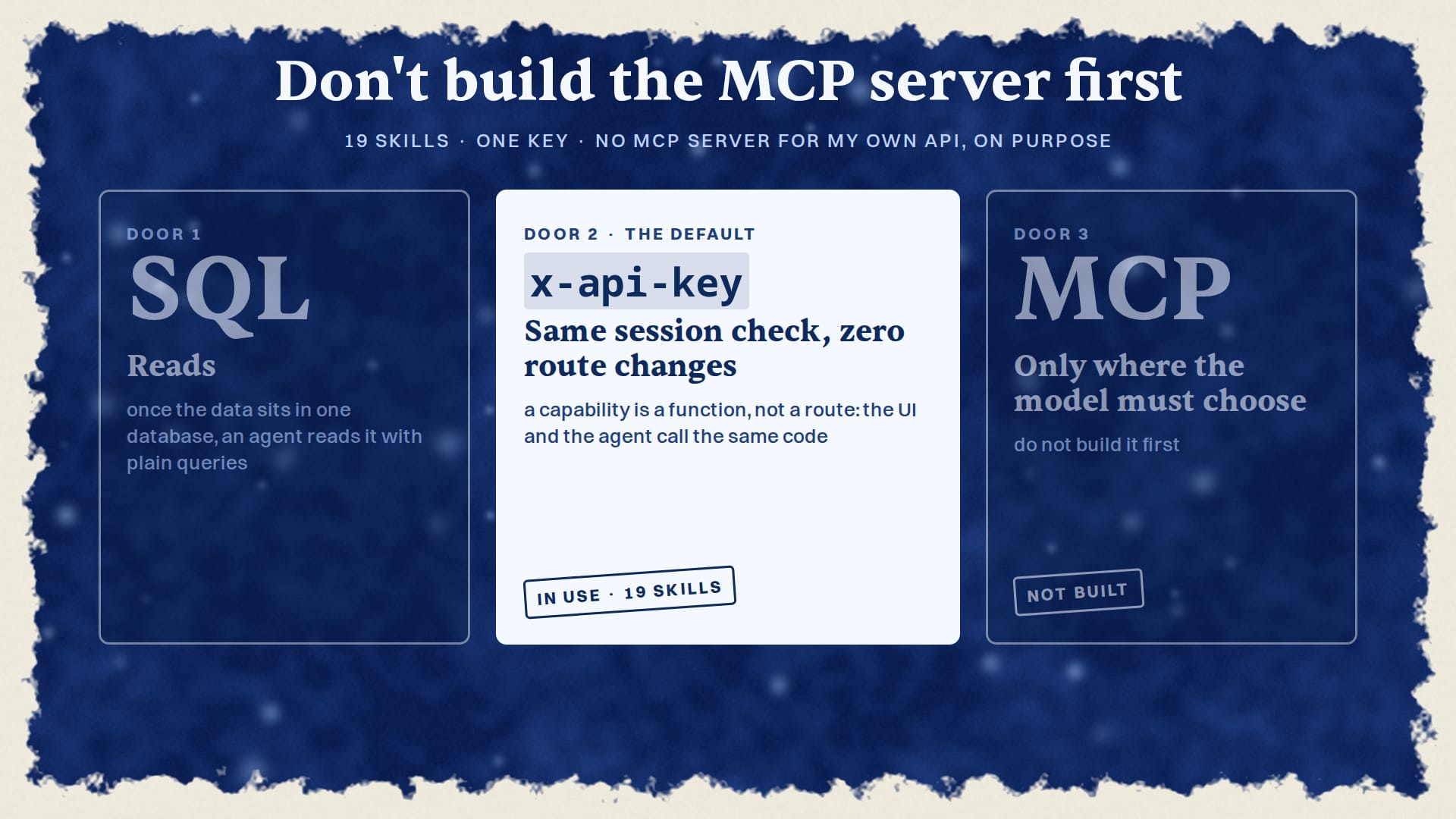
Don't build an MCP server first; use SQL or an x-api-key header. MCP is best reserved for calls where the model must choose a tool from a menu.
Don’t Build an MCP Server First: The Answer
I’ll say it plainly: don’t build an MCP server for your app first. Give your existing session check an API key, move each action into a plain function, and let your agents call the same functions your UI calls. That is the door that worked for me on day one, and MCP only earns its place for calls where the model has to choose.
Let’s get one thing straight: the MCP server was never the door. It was the third door, and I still haven’t needed it.
The Model Context Protocol’s architecture overview describes a client, inside an AI app, talking to servers that expose tools and data. I agree with the definition. It is a good protocol for a model that has to pick which tool to call from a menu it has never seen. What I disagree with is the order. If your app already checks a session cookie on every route, you are one header away from letting an agent in, and a new transport is the slow way to get there.
Here is what that looks like in my stack today. 19 of my Claude Code skills call my main app, OSI, with one key: the article skill, the chart skill, the dataset skill, the deal drafts, and fifteen more. 96 of the 160 route files in OSI call the same function that turns a key into a user. And I have no MCP server for my own API, on purpose. This column was drafted through that door.
I don’t know your stack. Maybe your agents really do need to choose between forty tools they have never seen. But if your agent knows which call it wants, the rest of this piece is the shorter road.
Three Doors: SQL, an x-api-key Header, and MCP
My operating manual names three doors, in order of preference.
| Door | Use it for | The rule I wrote |
|---|---|---|
| 1. SQL | reads | once the data sits in one database, an agent reads it with plain queries |
2. HTTP with an x-api-key header |
actions the agent already knows it wants | “This is the default door.” |
| 3. MCP | calls where the model must choose | “Only where the model must choose… Do not build it first.” |
Door 2 is the whole trick. My apps sign people in with Better Auth, and its apiKey() plugin resolves a key through the same getSession call the routes already make. A browser sends a cookie, a script sends x-api-key, and the route gets the same user either way. Zero route changes. That is why it is the default.
The choice between Door 2 and Door 3 is about who decides the call, not about speed. When my article skill starts an editorial run, it knows exactly what it wants: POST /api/editorial/assignments, then an answer at each hold. When deal-drafts writes a quote into my Business app, same thing. Nothing there needs a model to browse a tool menu. I have no timing, cost or token comparison between the two doors in my record, so I won’t pretend the key door is faster. It is simpler, and it was already there.
If you want the why behind one key and three doors for business data, I wrote that up in connect AI to business data without handing over your passwords. This piece is the builder’s half: how the door gets built.
A Capability Is a Function, Not a Route
The rule that made the door cheap is one sentence in my manual: a capability is a function, not a route. Each action lives in lib/capabilities as a plain async function. No Request object, no cookies. The route.ts file becomes a thin wrapper that parses the input, works out who is calling, and calls the function.
Here is the order I built it in:
| Date | Change |
|---|---|
| 2026-08-05 | the apiKey() plugin, an auth.apikey table, resolveActor, and the boundary duties (kos-15a) |
| 2026-08-07 | eight engine verbs moved out of routes into plain functions that take the actor id first, each with its zod schema exported beside it; my Business app got its own door the same day |
| 2026-08-18 | resolveActor moved into one shared package, @kos/auth, after living as three byte-for-byte copies in three apps |
resolveActor is now one factory. It reads x-api-key, verifies the key, and maps it to a user id; with no key, it falls back to the session. The whole body is wrapped so a bad key returns 401, never 500. It is the rule my workshop Build a Claude Code mod that fails closed covers from its title down: when the check breaks, the answer is no, not a crash.
The wrapper keeps three duties that never move into the function: validate the input with zod, scope everything to the calling user, and answer 401, 402 and 403 as different things. Today OSI exports 10 capabilities from one index.
The same rule shrank my agent layer. Of the 8 subagents in my old agent app, 6 were wrappers around routes. They are becoming direct chat tools or Trigger tasks with no model loop of their own. When a subagent does run unattended, my column on Claude Code subagents running headless argues the rule that applies: a hook that can’t ask must refuse.
The Traps: Allowlists, Wrong Owners and Bare 401s
I found the door was the easy part. The traps were quiet, every one of them.
The bare 401 rule. A bare Unauthorized 401 means the path is missing from the proxy allowlist and the route never ran. A route’s own 401 says more. Check the allowlist before you check the data.
| Trap | What the agent saw | Cure |
|---|---|---|
| Path missing from the proxy allowlist (2026-08-06) | a bare 401 on every request; only /api/articles worked |
add the path to the allowlist |
/api/cron behind the proxy (2026-08-25) |
the daily feed refresh failed every morning | allowlist the cron path |
/api/personalities missing (2026-08-25) |
a redirect to /login, and the agent’s tool said “found: false” | check the allowlist before you check the data |
| Key minted for the wrong user (2026-08-18) | every widget filtered by owner came back empty | the key’s owner must be the data’s owner |
Skill calling /api/datasets (2026-10-20) |
a bare 401 | the route never reached main; it sits on an unmerged branch |
The first one is the classic. On 2026-08-06 the door shipped, and the proxy in front of the routes still only knew about sessions. It returned 401 to every agent before resolveActor ever ran. A bare {"error":"Unauthorized"} looked like an auth bug. It was a missing line in a list.
So I wrote the rule down: a bare {"error":"Unauthorized"} means the path is missing from the allowlist and the route never ran. A route’s own 401 says more. Today that allowlist, PUBLIC_PREFIXES, has 41 entries, 32 of them under /api.
The wrong-owner trap is the nastiest. Mint the key for the wrong person and every widget filtered by owner comes back empty. Yes, it is as quiet as it sounds. And the newest one is mine from this week: a skill written against a route that was never merged. The cure is boring. Check that the route is on main before a skill calls it. The workshop’s final check tests what breaks when a step is skipped, and a route that never reached main is exactly that kind of skipped step.
What MCP Is For, and What the Vendors Are Selling
MCP is a real tool for real jobs. It is just not the job most app builders have on day one.
Clerk’s guide to building an MCP server in a Next.js app outlines it in order: install the dependencies, set up the app with Clerk and the MCP imports, then create the server and define its tools. I like that auth comes before the first tool, not after. If you are opening your app to agents you don’t control, that is the right path, and I won’t dismiss it. It is also a second front door with its own auth flow to run.
Look at who ships MCP well. GitBook notes that every published GitBook site automatically includes an MCP server, so outside tools can read the docs. That makes sense for a docs site: its readers bring their own assistants, and GitBook can’t know which ones. Dynatrace’s MCP server lets an external agent generate, run or explain a DQL query against your monitoring data. I think that is a fair use of MCP: an analyst asks in words, and the model has to pick the query. Both are products whose users bring their own agents. The model on the other end has never seen the tools and has to choose. That is Door 3, exactly as my manual describes it.
A one-person stack is the opposite case. My agents are my skills. I wrote them, they know the endpoints, and they call the same functions my UI calls. Enterprise MCP is a gateway and governance project, and that is a different job from the one you have.
To be fair to MCP, I do use one: Trigger.dev’s CLI MCP, for reading runs. Plain HTTP with a minted token does the same job for my own apps. And when I planned the OSI chat in October, the decision was “MCPs attach to tasks, not the chat.” The chat keeps about 14 tools, and the long work runs as tasks.
If You Build MCP Later: Keep the Wrapper Thin and Own the Boundary
If I ever build one, an MCP server in my stack will be one more thin wrapper over the same capability functions. The zod schema for each action already sits beside the function, exported, so an MCP tool and an HTTP route would validate the same input with the same code. That was the point of moving the verbs out of the routes in August. No second copy of the logic.
What does not get thinner is the trust boundary. OWASP’s guide to secure MCP server development says that unlike traditional APIs, MCP servers operate with delegated user permissions, tool sets that change at runtime and chained tool calls, which raises the impact of a single weakness. I agree, and my key door needs the same care: the owner check, the scoping, the distinct 401, 402 and 403.
Christian Schneider’s defense-first guide to securing MCP lays out the safer flow: an OAuth 2.1 flow with PKCE, and a token whose audience is set to one specific MCP server, not a generic “all servers” audience. That is the same lesson as my wrong-owner trap, one level up. A credential should open exactly what its owner owns, and nothing else.
And keep the descriptions short. Scalar’s guide to MCP API documentation splits the work into two jobs: documenting the server so people and models know what each tool does, and publishing your normal docs in forms agents can read. Both cost words, and every word a model reads is context it spends.
I have no security audit of my own key path. So I won’t claim it is secure beyond the boundary duties above. Those are what I check.
Monday Morning: What to Build Instead, and What I Can’t Claim
If you want agents acting on your app this week, here is the order I would follow again. Mint one key for one owner, and make that owner the data’s owner. Resolve the key through the session check you already have, so the routes don’t change. Add every path your agent calls to the proxy allowlist, and read a bare {"error":"Unauthorized"} as “the route never ran”. Move each action into a plain function, with its zod schema beside it and its user scoping in the wrapper. And before a skill calls a route, check that the route is on main.
That is the whole door. Mine carries 19 skills today without a new transport.
What this record does not contain: no timing, cost or token comparison between a key door and an MCP server, no count of calls per skill, no claim about anyone else’s API, and no security audit. I could be completely wrong for a product whose users bring agents you have never met. For an app you run yourself, I’d still bet on the door.
Am I being too harsh on MCP? Probably. Build the door first.
- Mint one key for one owner, and confirm that owner is the owner of the data the agent will read.
- Resolve the key through the session check you already run, so the routes do not change.
- Add every path the agent calls to the proxy allowlist (PUBLIC_PREFIXES).
- Read a bare Unauthorized 401 as: the path is missing from the allowlist and the route never ran.
- Validate input with zod in the wrapper, and scope every query to the calling user.
- Return distinct 401, 402 and 403 answers; a bad key returns 401, never 500.
- Confirm the route is on main before a skill calls it.
Sources
- MCP servers for published docs | GitBook Documentation
- Architecture overview - Model Context Protocol
- Dynatrace MCP server — Dynatrace Docs
- Build an MCP server in your application with Clerk - MCP development - Next.js | Clerk Docs
- MCP API Documentation: Tools, llms.txt and Docs MCP — Scalar
- A Practical Guide for Secure MCP Server Development - OWASP Gen AI Security Project
- Securing MCP: a defense-first architecture guide – Christian Schneider
- Connect AI to Business Data Without Handing Over Your Passwords
- Connect AI to Business Data Without Handing Over Your Passwords
- Connect AI to Business Data Without Handing Over Your Passwords
- Connect AI to Business Data Without Handing Over Your Passwords
- Connect AI to Business Data Without Handing Over Your Passwords
- Connect AI to Business Data Without Handing Over Your Passwords — the column
- Final check — Build a Claude Code mod that fails closed
- Build a Claude Code mod that fails closed — flowingkhaos
Questions, answered
- When should an agent use an MCP server?
- MCP is recommended only for calls where the model must choose a tool from a menu it has never seen. It is the third door, prioritized last among SQL, HTTP/x-api-key, and MCP.
- What is the preferred method for agents that already know the call they want?
- The default door is using HTTP with an `x-api-key` header. This method allows the route to get the same user as a cookie, resulting in zero route changes.
- What is the foundational rule for building capabilities in an app?
- A capability must be treated as a function, not a route. Each action lives as a plain async function in `lib/capabilities`.